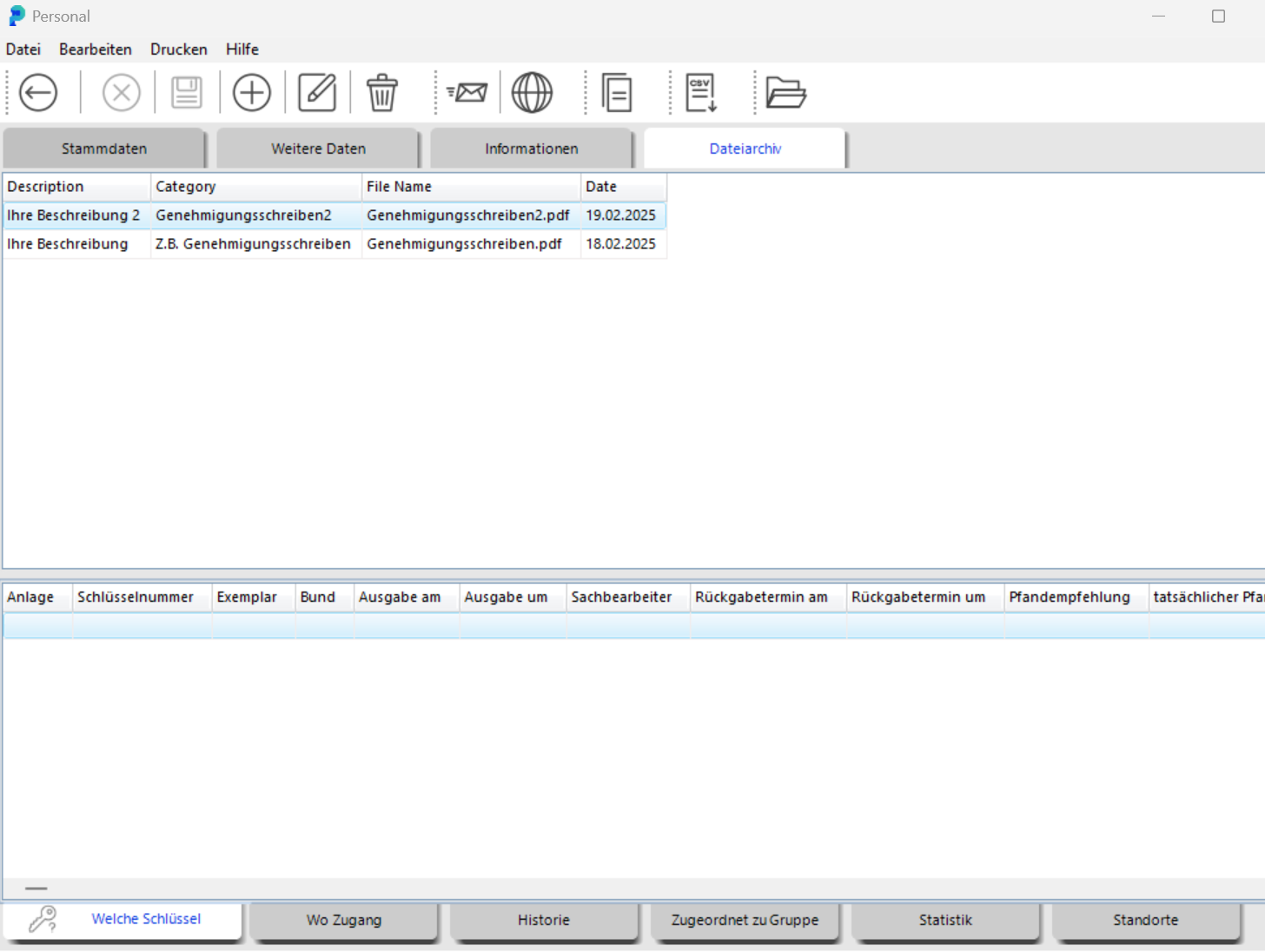
DocuVault was added in Version 5. It lets administrators attach files directly to an employee's personnel record.
From the home screen, click Personnel in the top-left menu. In the desired person's record, click the File Archive tab.
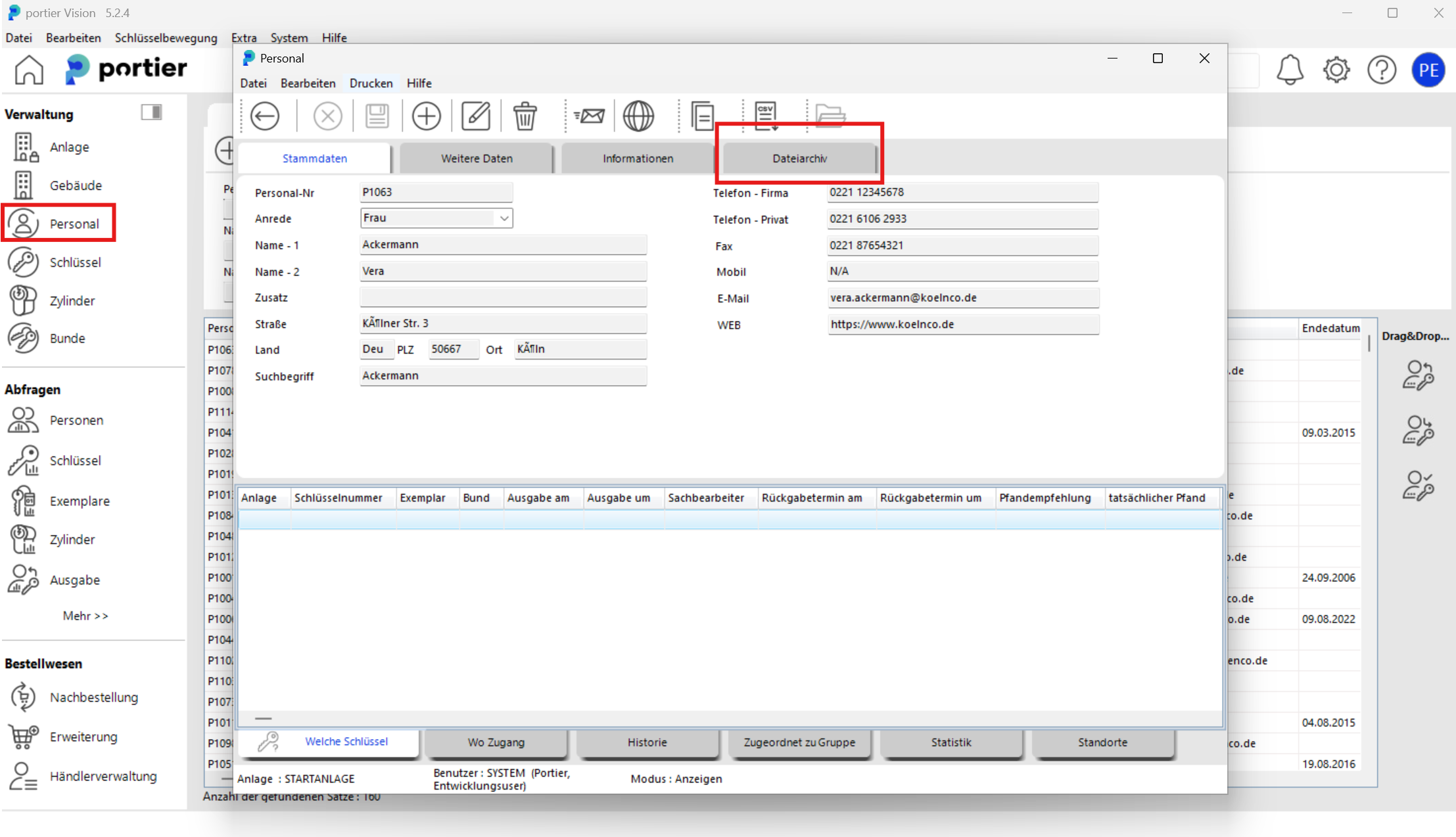
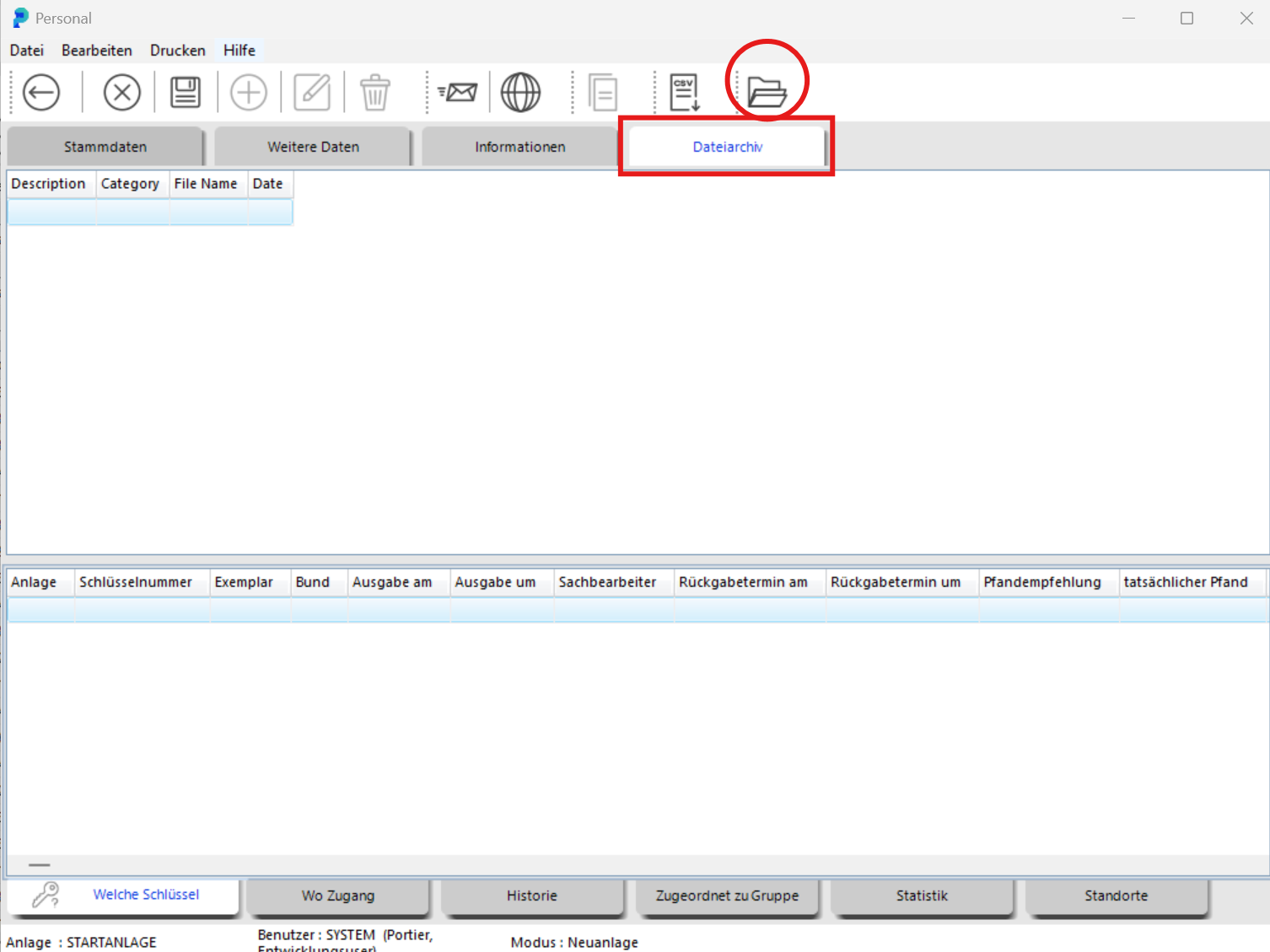
The File Archive opens. To upload a file, click the folder icon on the right.
Click the search icon in the File Archive, then select the document you need.
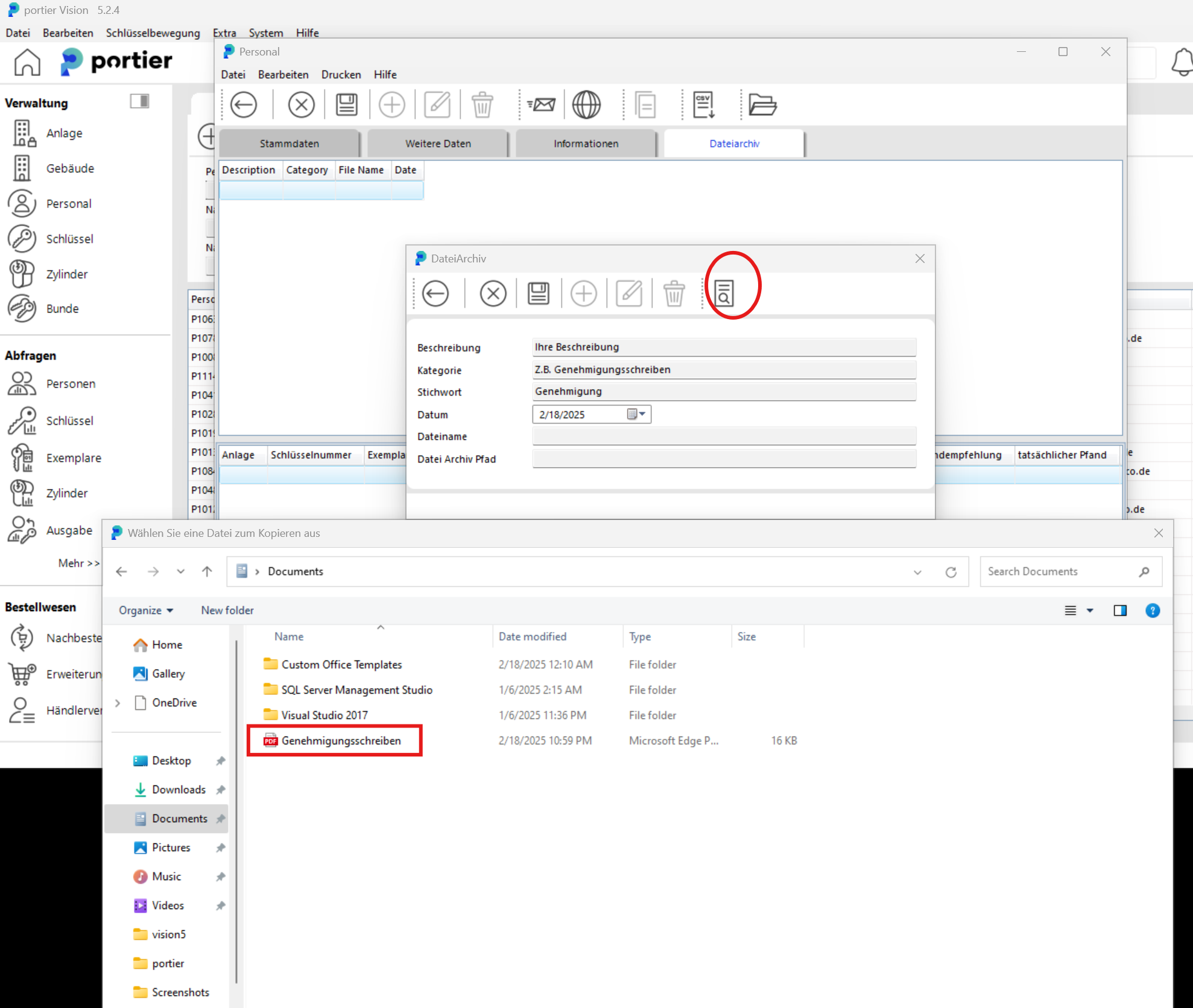
After selecting the document, click the Save (disk) icon, then click the back arrow.
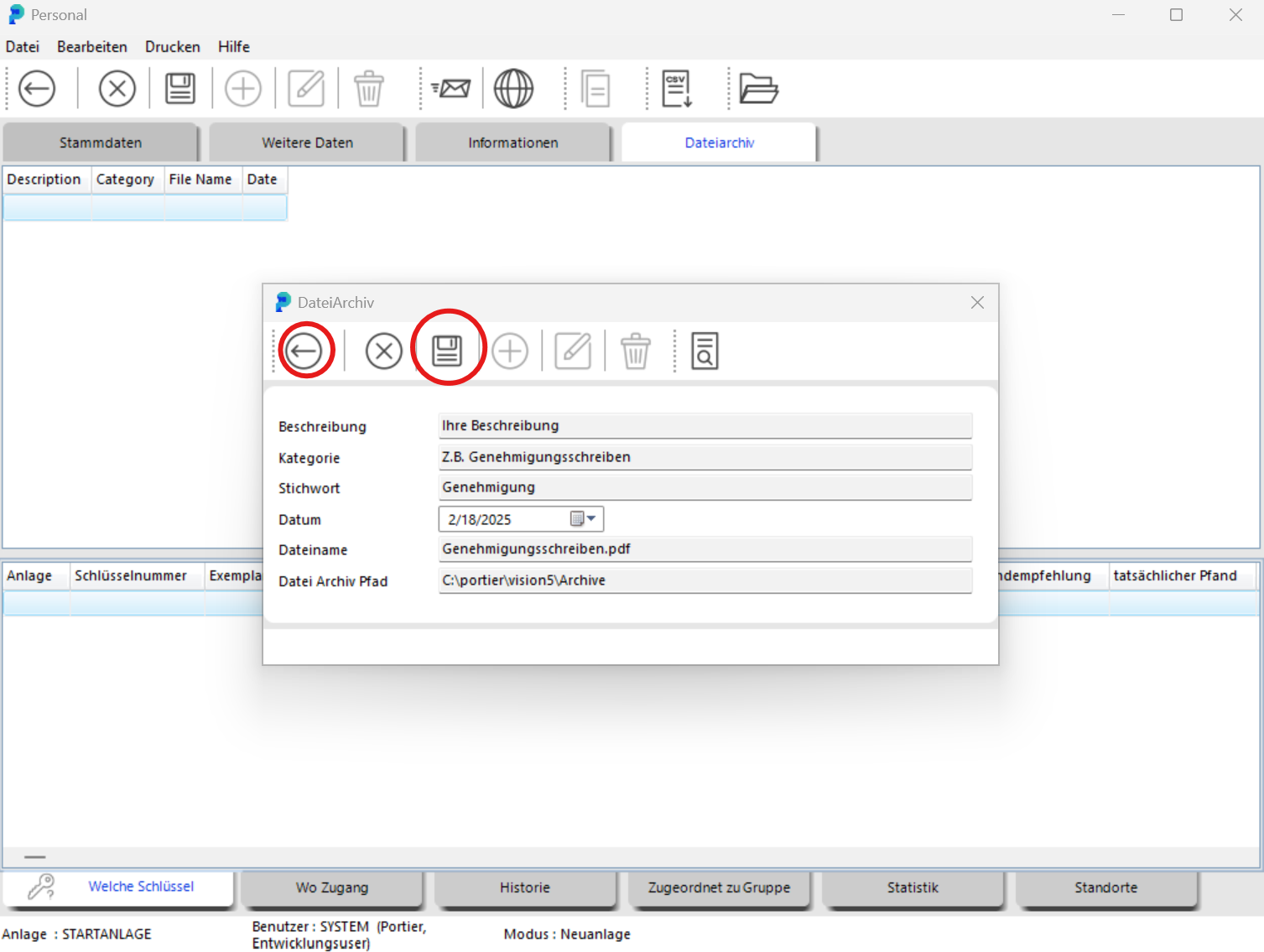
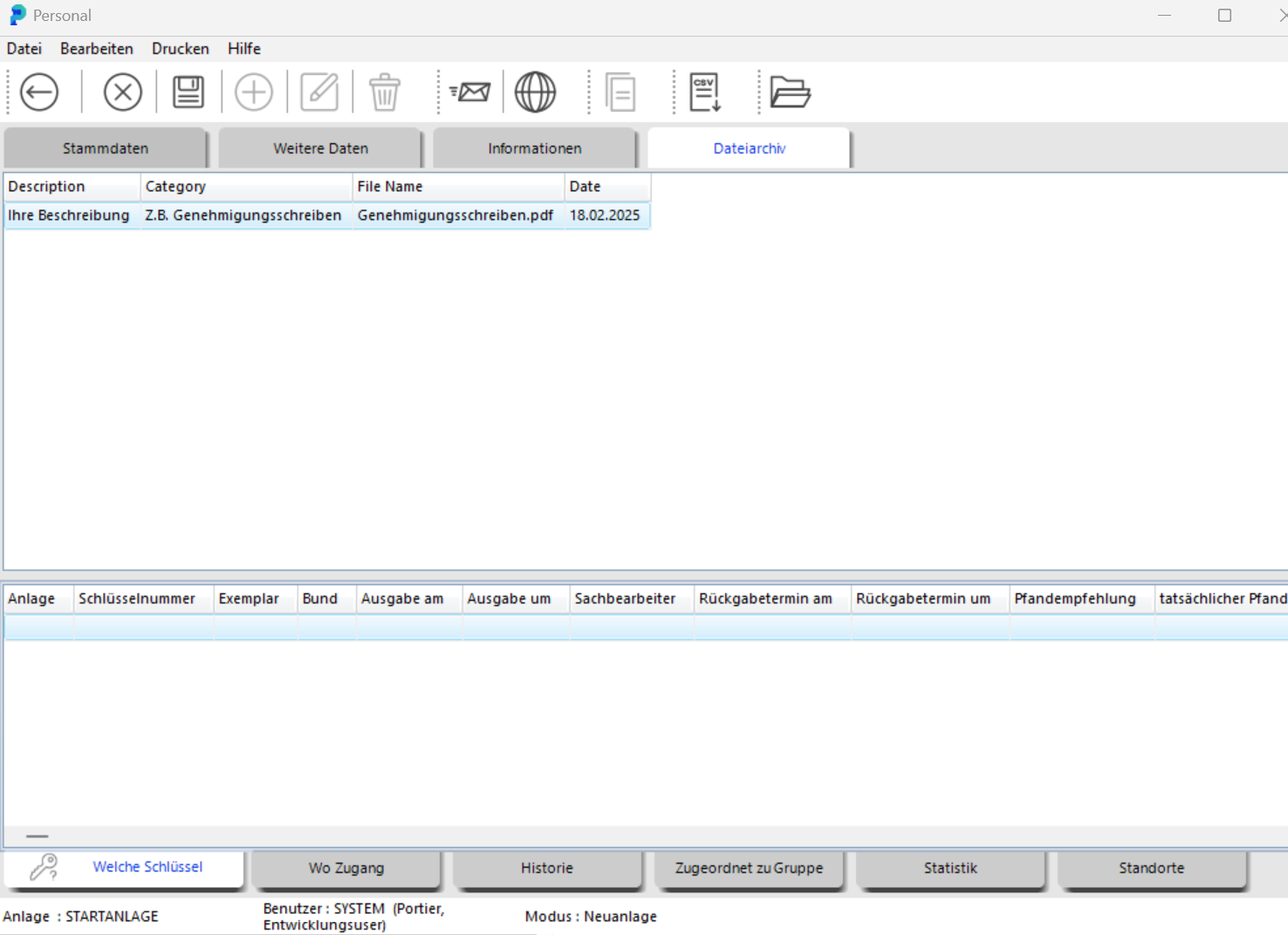
The file is now stored in that employee's File Archive.
To upload another file, click the Save (disk) icon first, then click the plus sign.
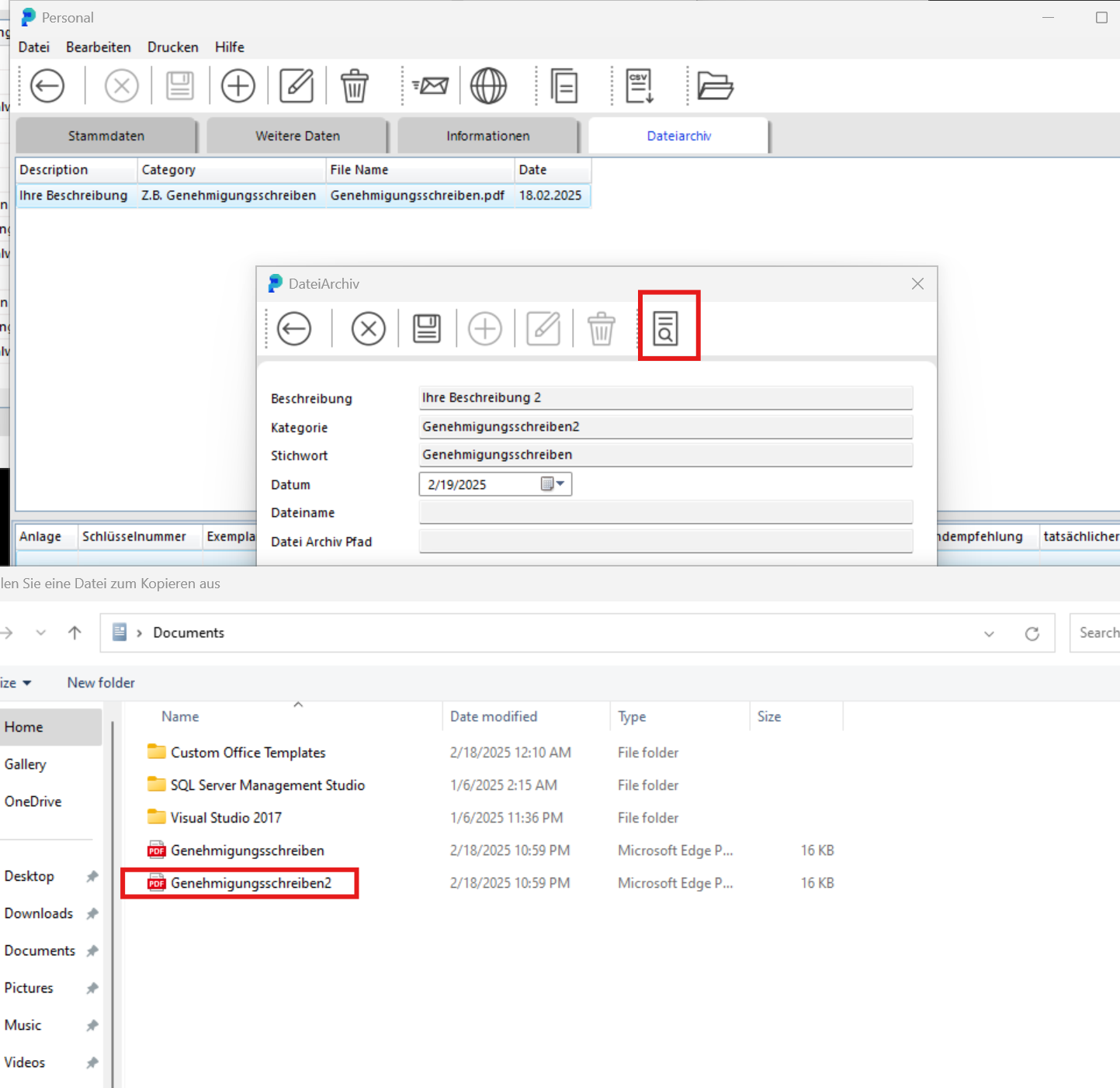
Double-click the desired file and click the Save (disk) icon, then click the back arrow.
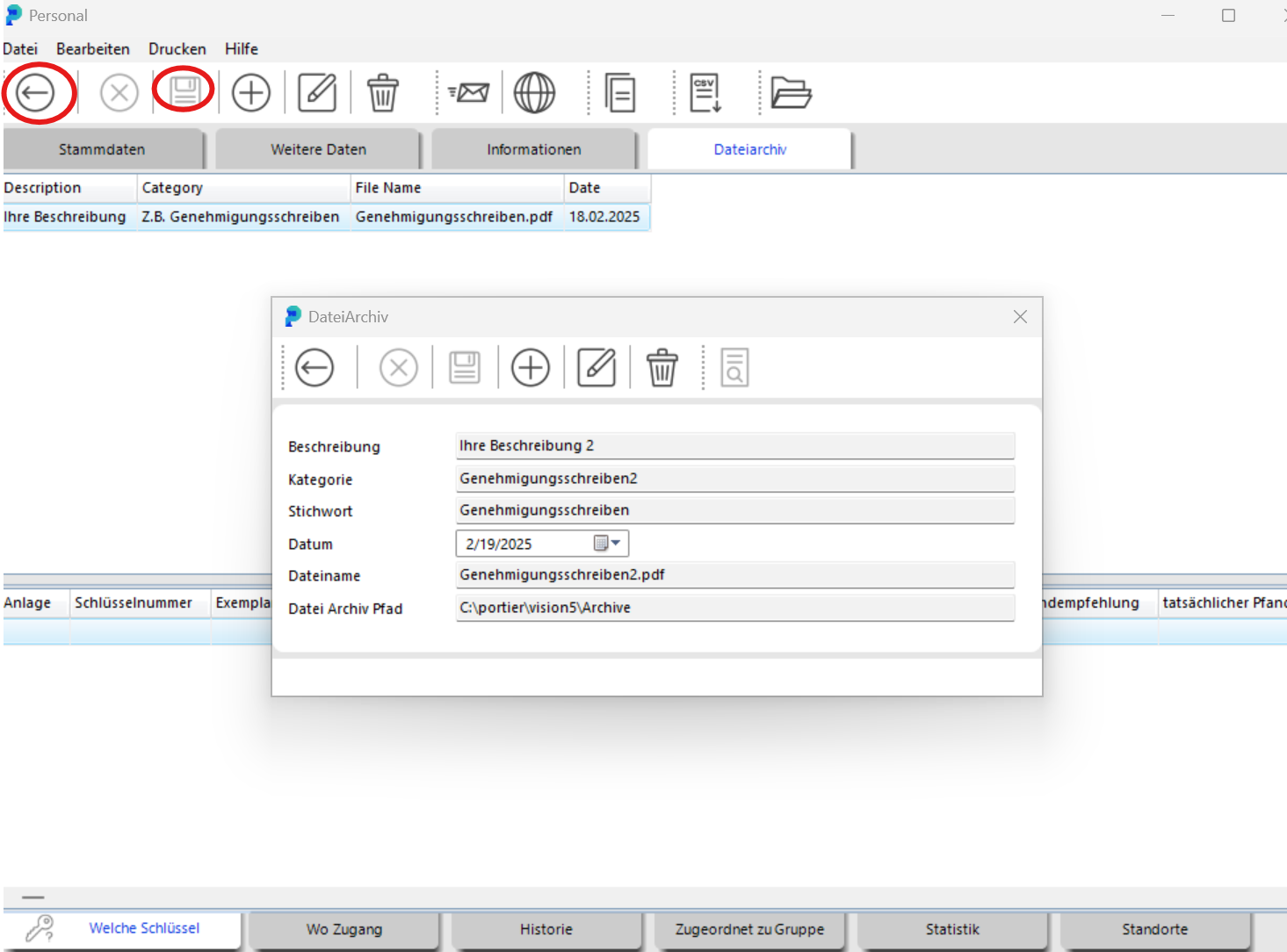
The additional file has been added.