In the ADMINISTRATION / PERSONNEL module, click ADD RECORD in the toolbar.

The PERSONNEL window opens.
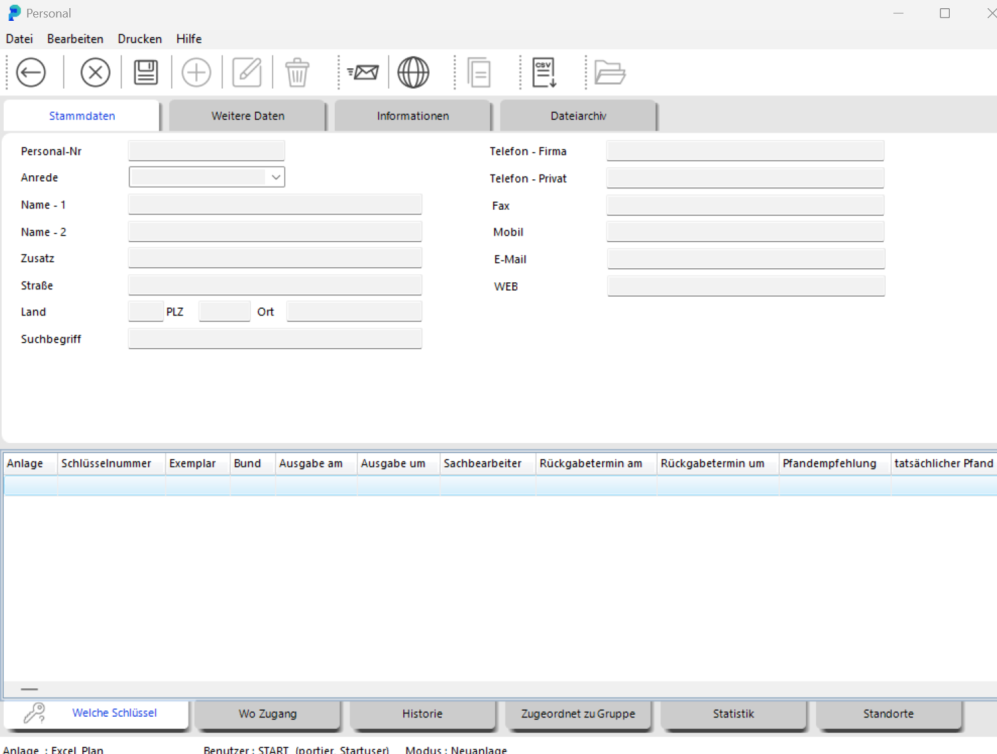
In the NAME – 1 field, enter the key holder's last name. NAME – 2 is for the first name.
We strongly recommend sticking with whichever field assignment you choose from the start.
Save by clicking SAVE.

Note: You can complete the key holder's details at any time later. Close the PERSONNEL window by clicking BACK.
The person is now available as a key holder.
TIP During key issuance you have another opportunity to create a new key holder. The ADD PERSON button opens the same form described here.