In portier®VISION, you can create groups and assign both keys and people to these groups. For key issuances, it is then checked whether the person belongs to the respective group and may receive the key.
This way, you can reserve keys for specific areas for authorized personnel (e.g. laboratory keys only for laboratory staff).
To do this, click in the menuEditon the entryDefine Groups. Alternatively, use the keyboard shortcutCtrl+G.
 Existing groups are displayed by clicking the buttonStart Search.
To edit a group, double-click on it.
To create a new group, click on the button in the toolbarAdd Record.
 To create a new group, click on the button in the toolbarAdd Record.
In both cases, the windowDefine Groups opens.
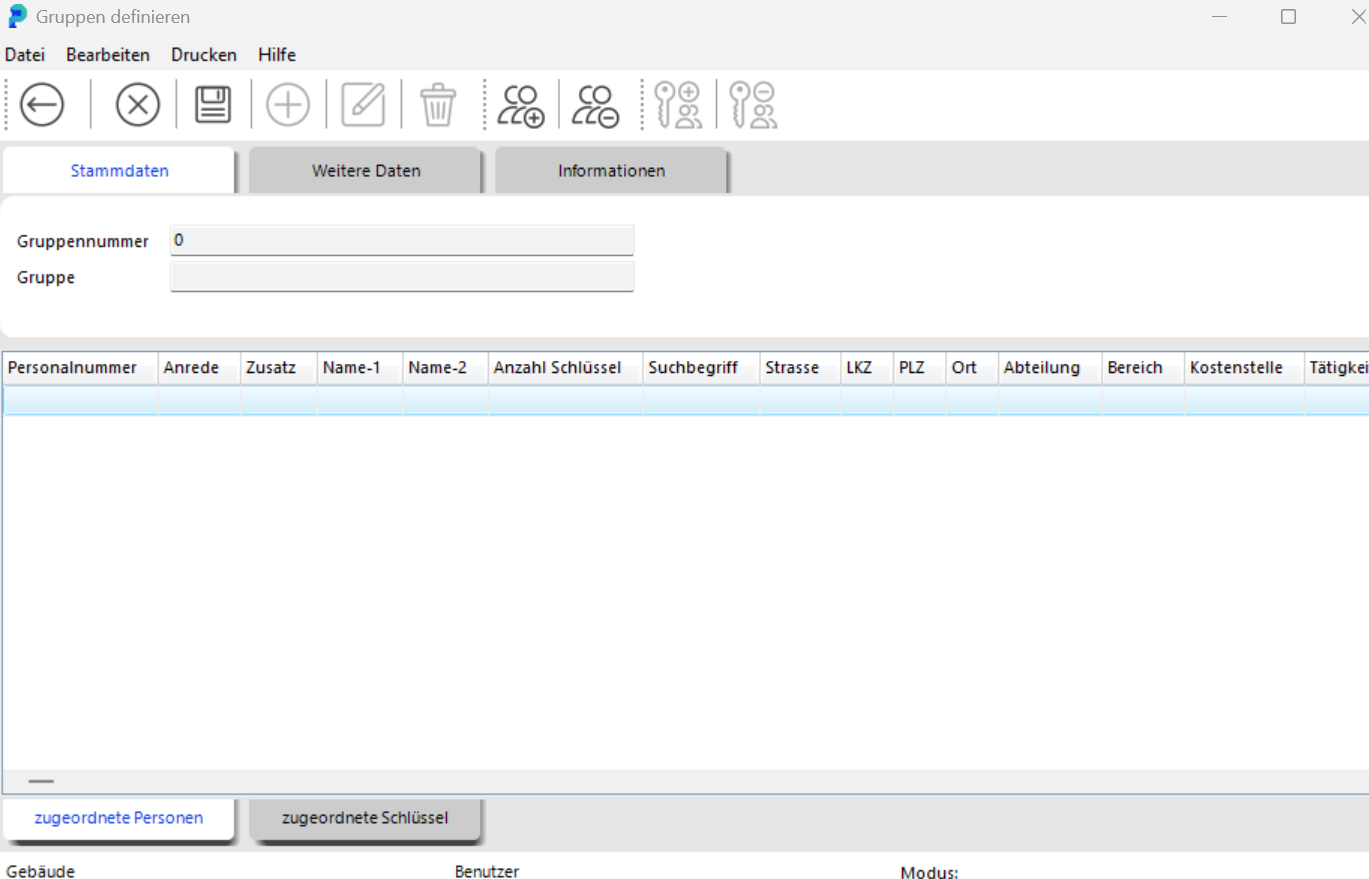
Here you enter the data for the new group or modify the data of an existing group.
To add people to the new group, click on the tab "Assigned People" at the bottom and then on the button at the topAssign People to Group
The windowSearch Personnel opens.
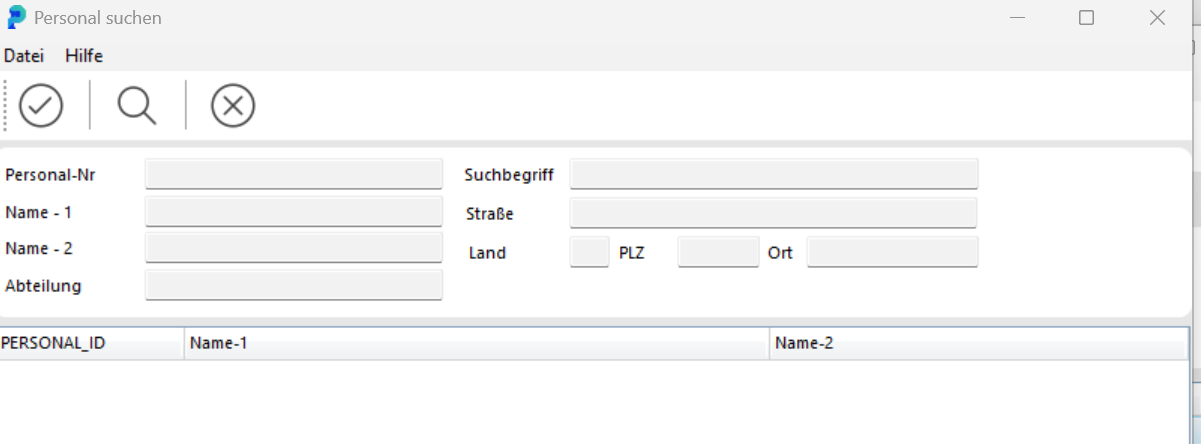
Here you can display all people by clicking the buttonMagnifying Glass.
Since this list can become quite long, you can also search specifically for certain people.
Select the desired person by clicking on them.
 By clicking the buttonAccept Search Result, you add the selected person to the group.
 To add a key to the group, click on the tabAssigned Keys.
 This activates the buttonsAssign Key to GroupandRemove Key from Group.
Click on the buttonAssign Key to Group to open the search window.Here you can find the desired keys using the Magnifying Glass or the search field and add them to the group by clickingAccept Search Result
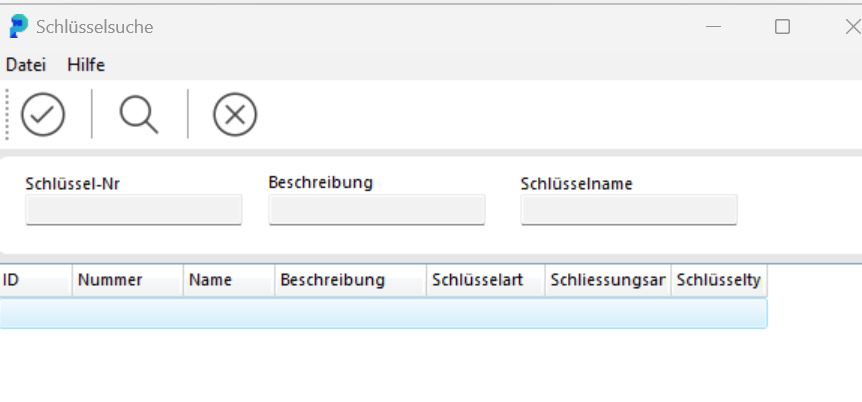
.To remove a key from a group, click in the menuEditon the entryDefine Groups
. To remove a key from a group, click in the menuEditthe commandDefine Groups(alternatively:Ctrl+G).
Click the buttonMagnifying Glass to display all groups.
Open the desired group by double-clicking. In the windowDefine Groups, switch to the tabAssigned Keys.
 Select the desired key and click on the buttonRemove Key from Group.
Confirm the security promptRemove key xxx from the group?. The key is now detached from the group.