In the moduleADMINISTRATION / BUNCHES you have access to the key bunches of the current facility. Here you can create new bunches, edit existing bunches, and delete bunches.
In the moduleADMINISTRATION / BUNCHES click on the toolbar buttonADD RECORD.
The windowBUNCHES opens.
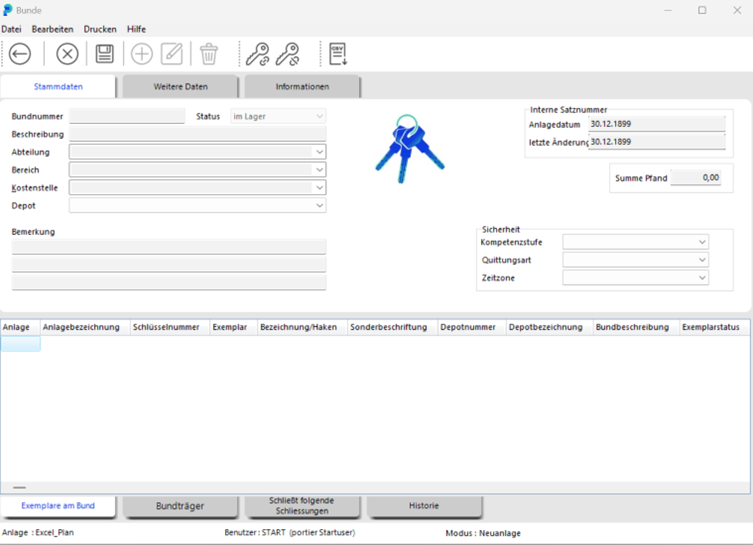
Now you can enter the data for the new bunch (bunch number, description, etc.).
To assign keys to the newly created bunch, click the button CONNECT KEY TO BUNCH
The KEY SEARCH window opens:
Here, display all keys by clicking the button START SEARCH.
Since the search results can be quite extensive, you can alternatively search for specific keys you know instead of searching for all keys.
In the search results list, select the desired key and then click the button ACCEPT SEARCH RESULT.
The COPY SEARCH window opens:
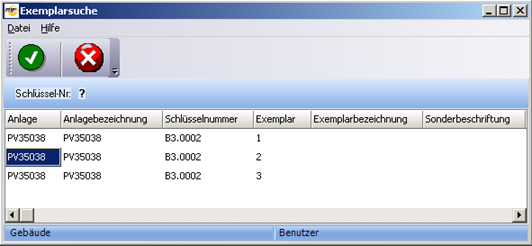
Here, select the desired copy and then click the buttonACCEPT SEARCH RESULT
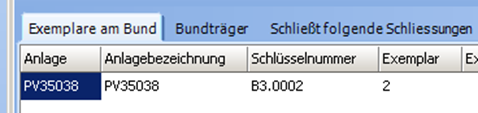
In the windowBUNCHES, the selected copy of the key is now listed:
Save the data of the newly created bunch by clicking the buttonSave and leave the window
Bunches by clicking the buttonBack.
The data of the newly created bunch is also saved when you leave the BUNCHES window directly by clicking the BACK button.
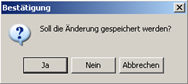
In this case, confirm the security prompt with YES
In the module Administration / Bunches, display the desired bunch (see above)
Select the desired bunch and click the button EDIT.
Alternatively, double-click on the bunch.
In both cases, the Bunches window opens.
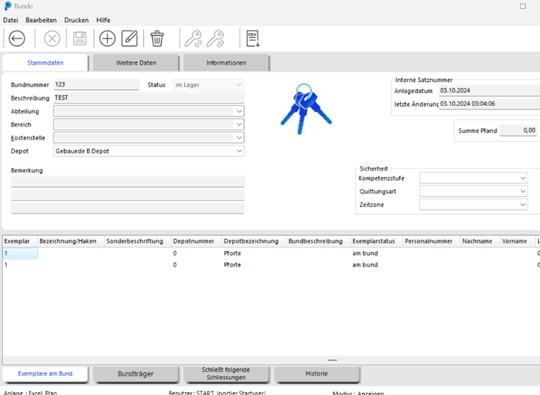
To edit the current bunch, click the button EDIT. Now the buttonsCONNECT KEY TO BUNCH
andDISCONNECT KEY FROM BUNCHandDISCONNECT KEY FROM BUNCH become active.

To disconnect a key from the current bunch, select the desired key and click the buttonDISCONNECT KEY FROM BUNCH.
Confirm the prompt by clicking the buttonYES. This disconnects the key from the bunch
When you have selected a bunch for editing (see above), you will find in the lower part of the windowBUNCHES five tabs that show you further information about the bunch.

 Which keys with which copies are currently assigned to the bunch?
 Who currently holds the bunch?
 Where does the bunch lock?
 To whom was the bunch issued in the past?
 Was a deposit agreed for the bunch?
Note:
Copies attached to the bunch are marked with the status "On Bunch" in key management and are no longer available for individual issuance.