In portier VISION, every cylinder has its own record. In the ADMINISTRATION / CYLINDERS module, click ADD RECORD in the toolbar. The CYLINDER window opens.
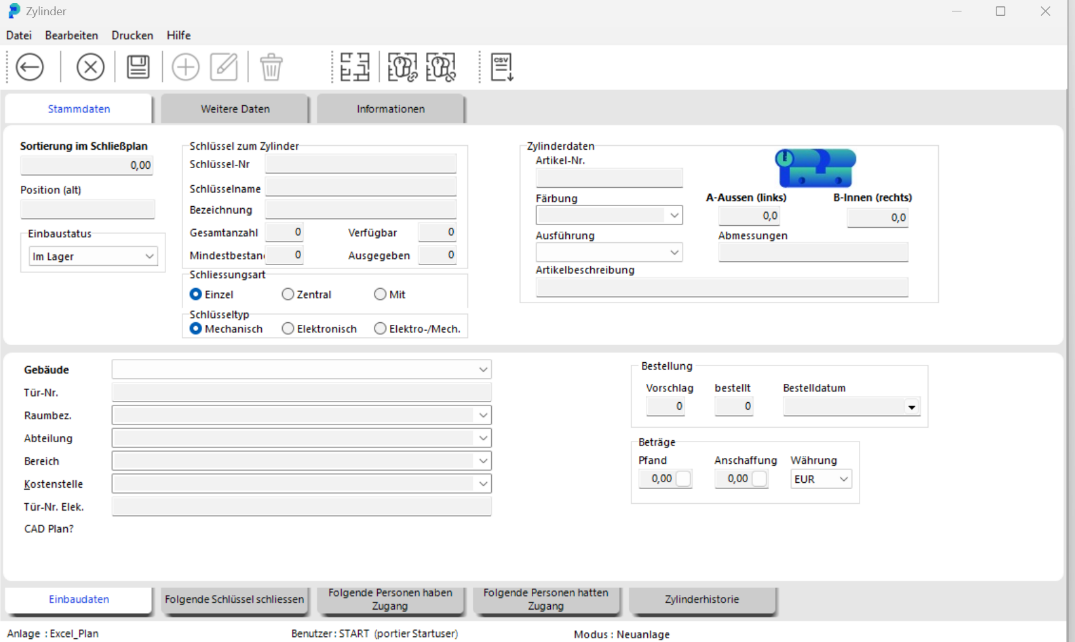
In the upper section KEY FOR CYLINDER, enter the cylinder data. In the Installation Data section, specify where exactly the cylinder is installed.
Save the data by clicking SAVE.
Close the CYLINDER window by clicking BACK.

The cylinder is now available. portier creates a separate key record with exactly the number of copies you entered in Total Quantity. The link between cylinder and key is the key number (also called the locking number).
WARNING: This key number can never be changed.
In the ADMINISTRATION / CYLINDERS module, enter the cylinder data (e.g. the key number) in the CYLINDER tab and press ENTER. The cylinder appears.
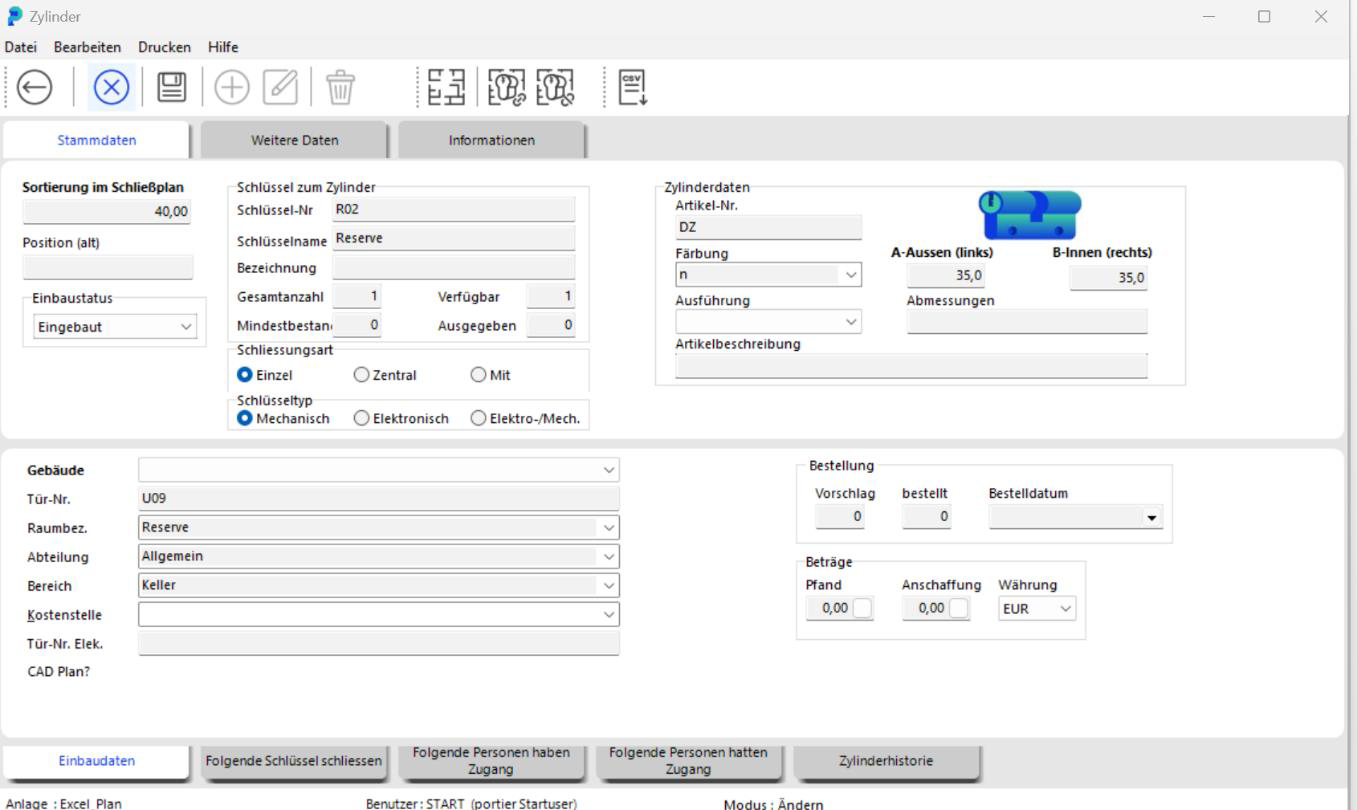
Double-click the cylinder to open the CYLINDER window. Find the Installation Data tab to edit the cylinder data. Save the changes by clicking SAVE.

Key data cannot be changed in the cylinder form after initial entry. For changes, open the relevant key form in the ADMINISTRATION / KEYS module. You will need the appropriate permissions.